

Numonic does not make the next image for you. It helps you find an image you already made—and the settings behind it. In Sebastian Kamph’s Sorting AI generations with Numonic, published on 15 October 2026, that idea gets a practical test with a cluttered ComfyUI output folder. The result is useful, but not flawless.
Disclosure: Kamph says Numonic sponsored the video and had no editorial control. The observations below are his reported test, not our independent benchmark. We read the complete English automatic captions and checked current product documentation on 1 November 2026. Automatic captions sometimes misspell the product name; its correct name is Numonic.
A searchable library after generation
A generation tool creates a picture or video. An asset library keeps the results organized. Numonic adds descriptions, tags and available generation data to imported files. A prompt is the instruction given to a model. Metadata is information stored alongside a file, such as that prompt, a seed or a model name. A workflow is the connected set of steps used to produce the result.
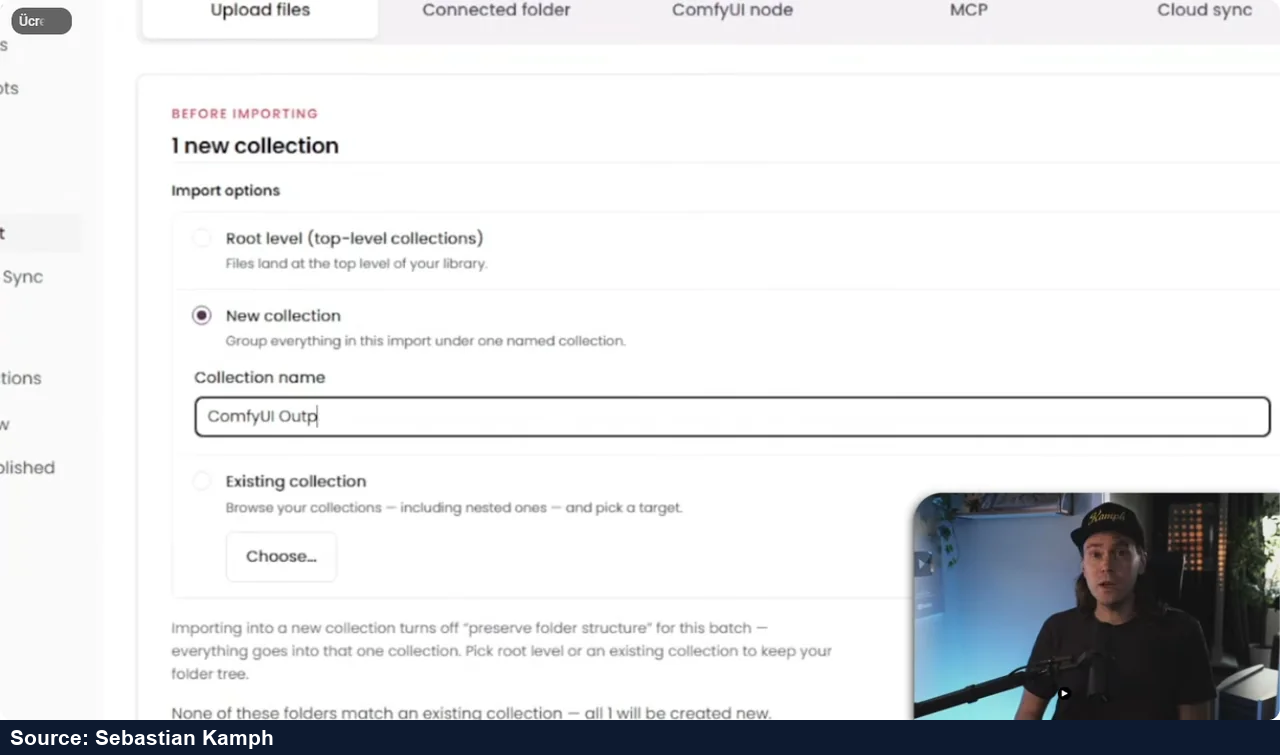
Kamph imports a folder containing 317 images and videos by dragging it into the web app. He reports roughly three to five minutes for about 300 files. That is one test, not a guaranteed processing speed. The app examines the contents and reads available metadata rather than merely copying filenames. He can keep the files at the library’s root, add them to an existing collection or create a new output collection.
What search finds—and what it misses
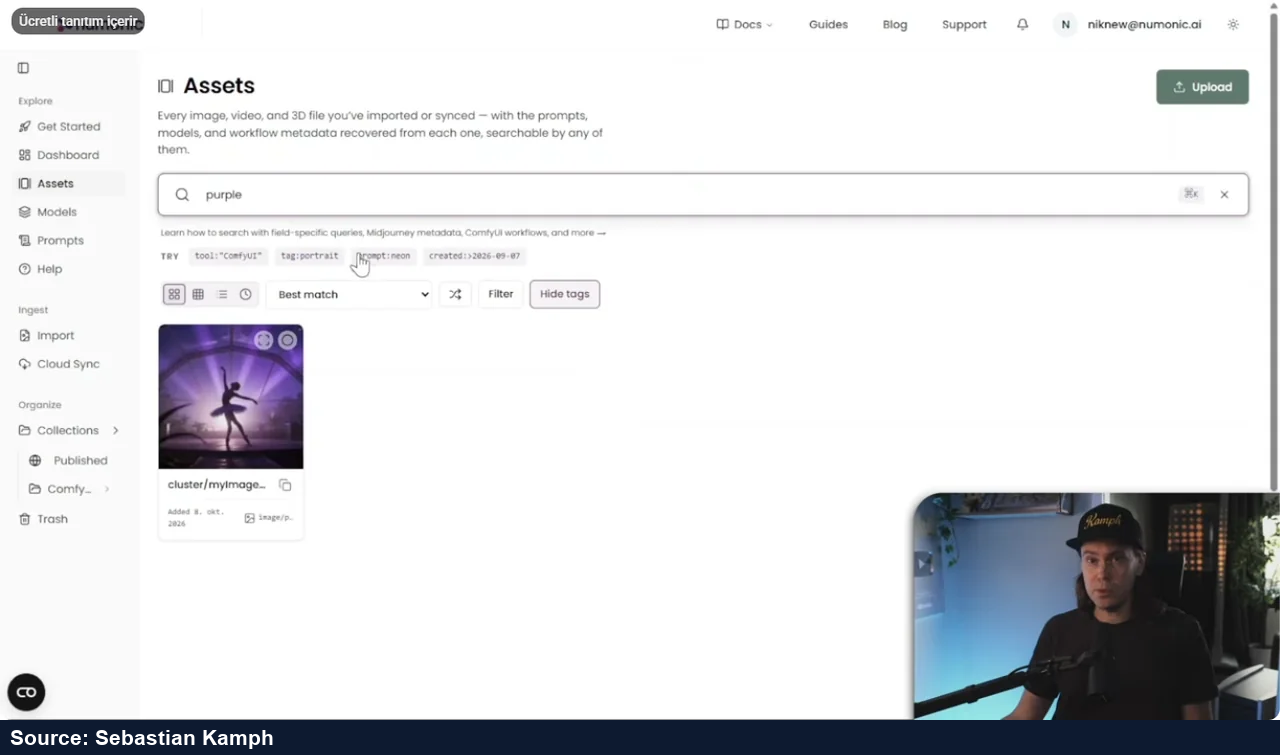
Searching for “ballerina” finds the desired picture. Searching for “purple” also brings it back. An asset’s side panel shows the generated description and tags, which can be supplemented manually. Kamph likes the idea of avoiding manual tagging across thousands of files.
His fox example exposes a weakness. The main subject is found, but searching for skulls in the background does not retrieve the image, even though the generated description mentions them. In that test, those details did not become search tags. A useful search result is therefore not proof that every remembered detail will work as a query. This is a reported observation from the video’s version, not a claim that all current searches fail in the same way.
Recovering the recipe is not restoring the whole kitchen
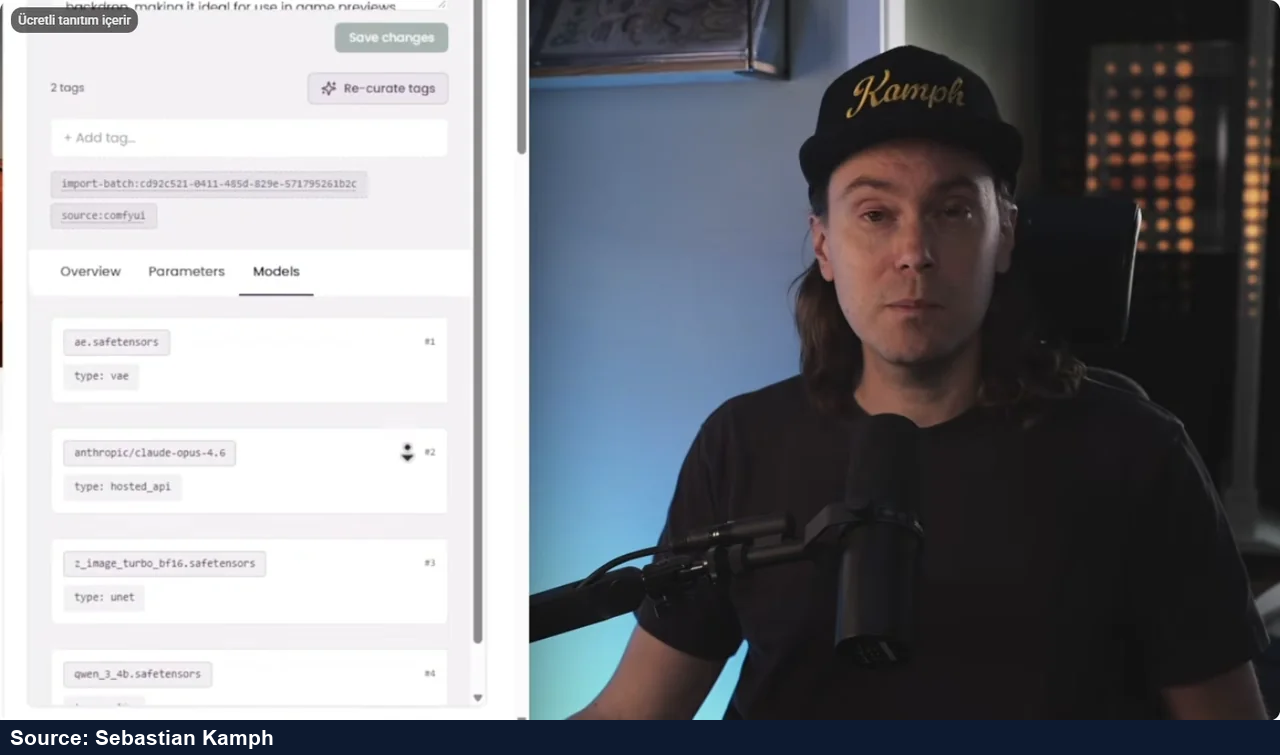
The asset panel also exposes prompts, generation parameters and model information. Kamph finds the data correct in a simple example and says most information from a video generation comes through. With complex graphs, however, he sometimes prefers reopening the original in ComfyUI. On several Z-Image outputs, the prominent model field shows ae.safetensors, a VAE component, instead of clearly identifying the main generator. The information may exist without being presented in the most helpful order.
ComfyUI can embed a graph inside supported outputs. Numonic’s value is finding the right original among thousands, not inventing missing data. The official compatibility table distinguishes importing a file from reading its generation details. Preserve originals: copies with stripped metadata cannot reliably provide the original recipe.
The documentation adds an important limit: recovering a graph does not reinstall models, custom nodes or input assets, nor guarantee an identical result. Keep those dependencies separately if repeatability matters.
Choose what accompanies a shared file
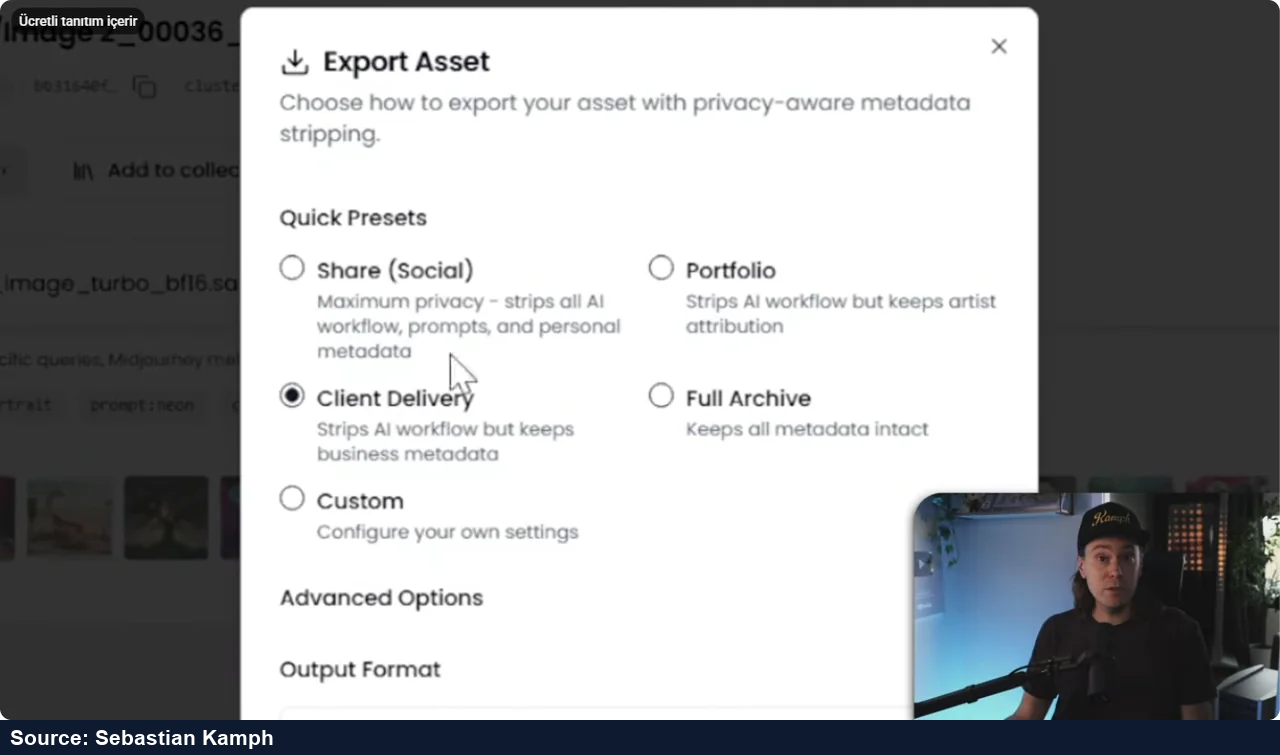
Kamph demonstrates export options that either remove prompt/workflow details for sharing or retain metadata for an archive. This matters when a client needs the result but not the production recipe. He considers batch metadata handling easier than cleaning many images individually. Before sending sensitive work, inspect the actual exported file; a preset name alone is not a privacy audit.
In the visible dialog, Social removes workflow, prompts and personal metadata. Portfolio retains artist attribution, Client Delivery retains business metadata, and Full Archive keeps all metadata. These are the options shown, not proof of every exported file’s contents.
Two ways to avoid repeated manual uploads
The video then tests two approaches to building the library as work is created.
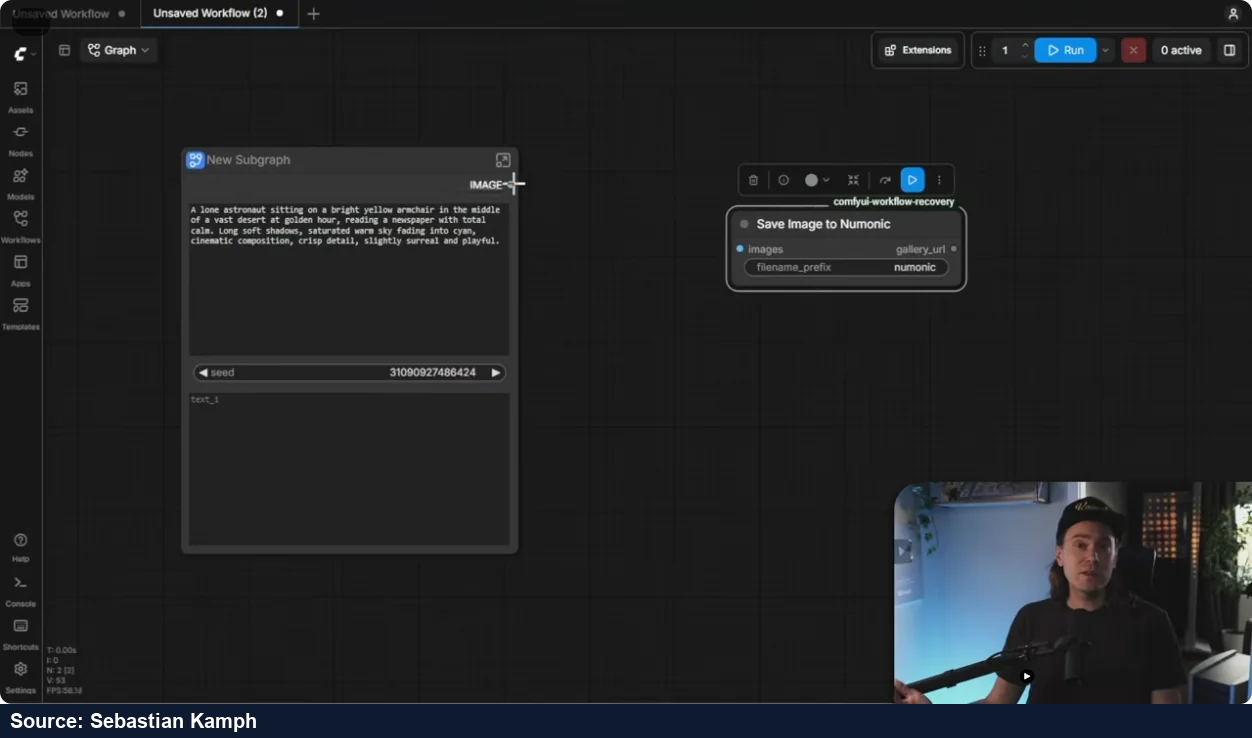
- ComfyUI save nodes. Kamph installs Numonic Workflow Recovery through ComfyUI Manager. He obtains a Numonic API key and stores it outside the shared graph, using the package’s local configuration instructions. On Windows, he stresses that
config.jsonmust really be JSON, not a hidden.txtfile. Follow the installed package’s README for the exact location and format; never place a real key in a shared workflow or screenshot. - He replaces the normal save operation with Save Image to Numonic, runs the workflow and sees the image appear with a direct asset link. He reports a similar result for video. This only captures workflows that actually use the relevant save node.
- Connected folder. Alternatively, the web app watches an output folder for new files. In the demonstrated setup, the Numonic tab must stay open and the folder may need reconnecting in a later session. This avoids adding a save node, but it is not a background service that works with the browser closed.
The current Folder Sync guide confirms the open-tab requirement and recommends supported desktop Chromium browsers. Its practical sequence is sign in, open Import, choose the folder, grant read access and review the import preview. A “Needs Reconnection” state requires renewed folder permission.
Check the free tier before committing
On 1 November 2026, the official pricing page lists Free: one seat, 5 GB and 100 one-time AI credits. Solo is $290/year with 250 GB. Studio is $790/seat/year, minimum three seats, with 2 TB pooled storage. These are USD annual-plan figures, not monthly cancellation prices. Check credit terms before purchase; the page contains inconsistent API/MCP credit wording.
Useful when finding old work is the real problem
Kamph’s conclusion is deliberately mixed. Drag-and-drop import feels easy, and finding a remembered picture beats opening hundreds of files. But a nicer, searchable collection can still feel crowded. He wants better search, clearer model presentation and broader cross-tool continuity. He imagines greater value for teams that must find, understand and deliver each other’s work; he does not promise that every studio’s needs are already solved.
For his solo work, he is unsure he would open Numonic every day. He can see returning to it when a large output folder hides a known result. The video’s references to future multi-platform convenience are aspirations, not a verified universal integration. Support depends on the source file and its retained metadata.
A sensible evaluation is a small set of your own permitted files: search for main and background subjects, inspect the recovered recipe, reopen an original workflow, then test the sharing export. Keep the originals and check whether the time saved justifies the extra upload, storage and permission requirements.